Category: Business Tips

  • How to Ask for Google Reviews

    How to Ask for Google Reviews

    Learning how to ask for Google reviews starts with one rule: let customers describe their own experience. A customer thanks you at the end of a good visit. It seems natural to ask for a review, but many owners worry that the request will feel awkward. The answer is to keep it short, fair and easy to decline.

    Reviews should describe genuine experiences, not a message the business wrote for the customer. You can make the route to the review page simple without choosing the rating or telling people what to say. That is better for the customer and for the business.

    Choose a natural moment to ask
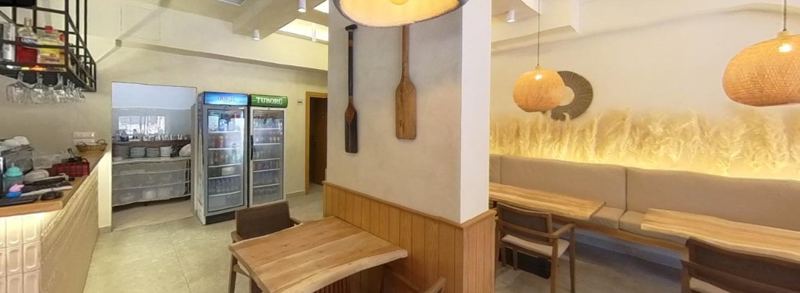
    Restaurant counter and seating area
    Veip Isaraj, Orikum. Vista 360 project.

    Ask after the service is complete, not before the customer has experienced it. A hotel might include a request in a follow-up message after checkout. A café might place a small card by the till. A shop can share a link on a receipt or in a polite thank-you message.

    Think about whether the customer has time. Someone trying to leave with children or carry heavy bags may not welcome a long conversation. A brief invitation is enough. If they say no, let it go.

    Use the same approach for all customers, not just the ones who smiled or praised you. A balanced page is more useful than a carefully selected one. The request is for an honest account of their own visit.

    A busy check-out desk is rarely the right place for a long speech. If your hotel sends a short follow-up after a stay, one neutral line can sit beside the ordinary thank-you. For a café, a polite question after the visit may work better than putting staff under pressure to collect ratings during service.

    Use words that leave room for honesty

    Blank white card on a table
    Photo: Kelly Sikkema on Unsplash

    Try: “If you have a moment, we’d appreciate an honest review of your visit.” Another option is: “Your feedback helps us understand what worked and what we could improve.” Both invite a real response without asking for five stars.

    Avoid standing over a customer while they write. Do not offer to type the review for them or suggest a sentence they should copy. Let them decide what mattered. Their own words are the point.

    If you use email or a booking message, make the request a small part of it. Explain why you are asking, give a simple link and move on. A series of reminders can make a friendly invitation feel like pressure.

    Make the link easy to use

    Check the review link from a phone before sharing it. Does it lead to the correct business, especially if you run more than one location? If you print a QR code, test it at the size it will appear on the table, card or receipt.

    Google provides ways to share a review request link or QR code and says reviews must reflect a genuine experience. It also prohibits incentives such as free or discounted goods in return for posting, changing or removing a review (Google Business Profile review guidance). Keep that rule separate from normal hospitality: a thank-you should not depend on a review.

    Put the request where it makes sense. A card near the exit may work better than a large notice on every table. Make sure the code is for reviews, not for a tour, if that is what the words beside it promise.

    Try this wording: ‘Thank you for visiting. If you have a moment, you can share an honest Google review here.’ Avoid ‘Please give us five stars’ and do not offer a discount for posting. Visitors should feel equally free to praise something, mention a problem or ignore the request.

    Respond as thoughtfully as you ask

    If someone leaves a detailed review, read it carefully. Thank them for a useful point or acknowledge a concern. You do not need to write a sales message under every comment, and you should not argue with criticism in public.

    Review requests are not a substitute for improving service. If the same issue appears again and again, take it back to the team. A thoughtful response online matters, but so does what happens on the next visit.

    Keep the process simple for your team

    Agree on one sentence staff can use naturally. Put the correct link in one shared place so nobody makes a new version by mistake. Decide who checks the feedback and who can reply on behalf of the business.

    Review the request after a while. Does it sound like something your team would actually say? Is it easy for a customer to ignore without embarrassment? If the answer is no, shorten it.

    If you serve international guests, as many businesses on the Albanian coast do in summer, keep the request easy to understand and let them write in the language they prefer. Do not draft the review for them or ask staff to translate a customer’s words into a more flattering version. Honest detail about a real visit is the point.

    Vista 360 supports owners with Google Business Profile management and replies to reviews, so a fair request process can be followed by thoughtful public responses. A café owner who sees repeated comments about a hard-to-find side entrance might update the arrival photos as well as answer the reviews. Tour QR codes are for showing the space, not a substitute for a direct review link; see the services page. Examples of finished work are in our portfolio.

    If you would like help presenting your business and replying to genuine customer feedback, contact Vista 360 to talk through a practical approach.
  • Which Photos Does a Local Business Need?

    Which Photos Does a Local Business Need?

    Choosing photos for your Google Business Profile is easier when you think about the questions a new visitor will ask. It is easy to think that a business profile needs more photographs. Often it needs better-chosen ones. A visitor looking for your café may want to recognise the door, while someone booking a room needs to see the space where they will sleep.

    Start with the journey from the street to the main reason a customer visits. The right images depend on your business, but each one should answer a question. Before taking another picture, ask what that picture will help a new customer understand.

    Start by showing the entrance

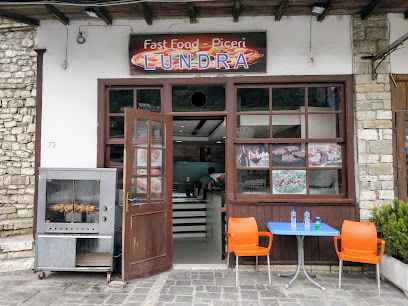
    Restaurant front with a stone wall and wooden door
    LUNDRA Fast Food, Berat. Vista 360 project.

    Stand where a first-time visitor is likely to approach. Can the camera show the sign and the correct door together? If there are two possible entrances, photograph the one customers should use. Try a second angle from the other direction when it adds clarity.

    This is especially useful for a venue behind another building, a shop on a narrow street or a bar reached from a beach path on the Albanian Riviera. The entrance photograph is not merely decoration. It can stop someone walking past the place they came to find.

    Google’s photo guidance suggests showing exterior views from the directions people may approach and interior views that reflect the real customer experience (Google Business Profile photo tips). Treat that as a way to plan, not a reason to upload near-identical pictures.

    Think of the set as a short walk rather than a collection of favourite pictures. The first useful frame may be the street view of the entrance. The next can show the room a visitor steps into, followed by the feature they came to see, whether that is a display, dining space or a room type.

    Give people a feel for the main space

    Once the door is clear, show where people will spend their time. A restaurant should show the dining area; a hotel should show its actual room types and shared spaces; a shop should show how the displays and aisles feel. A wide view helps a visitor understand the layout.

    Take the photograph when the light is useful and the space is tidy, but do not change the layout just for the picture. If you move tables to make the room seem bigger, a guest may arrive expecting something you do not offer. Accurate images make expectations easier to manage.

    Add details that help someone choose

    Bakery counter filled with fresh pastries
    Photo: Elisha Terada on Unsplash

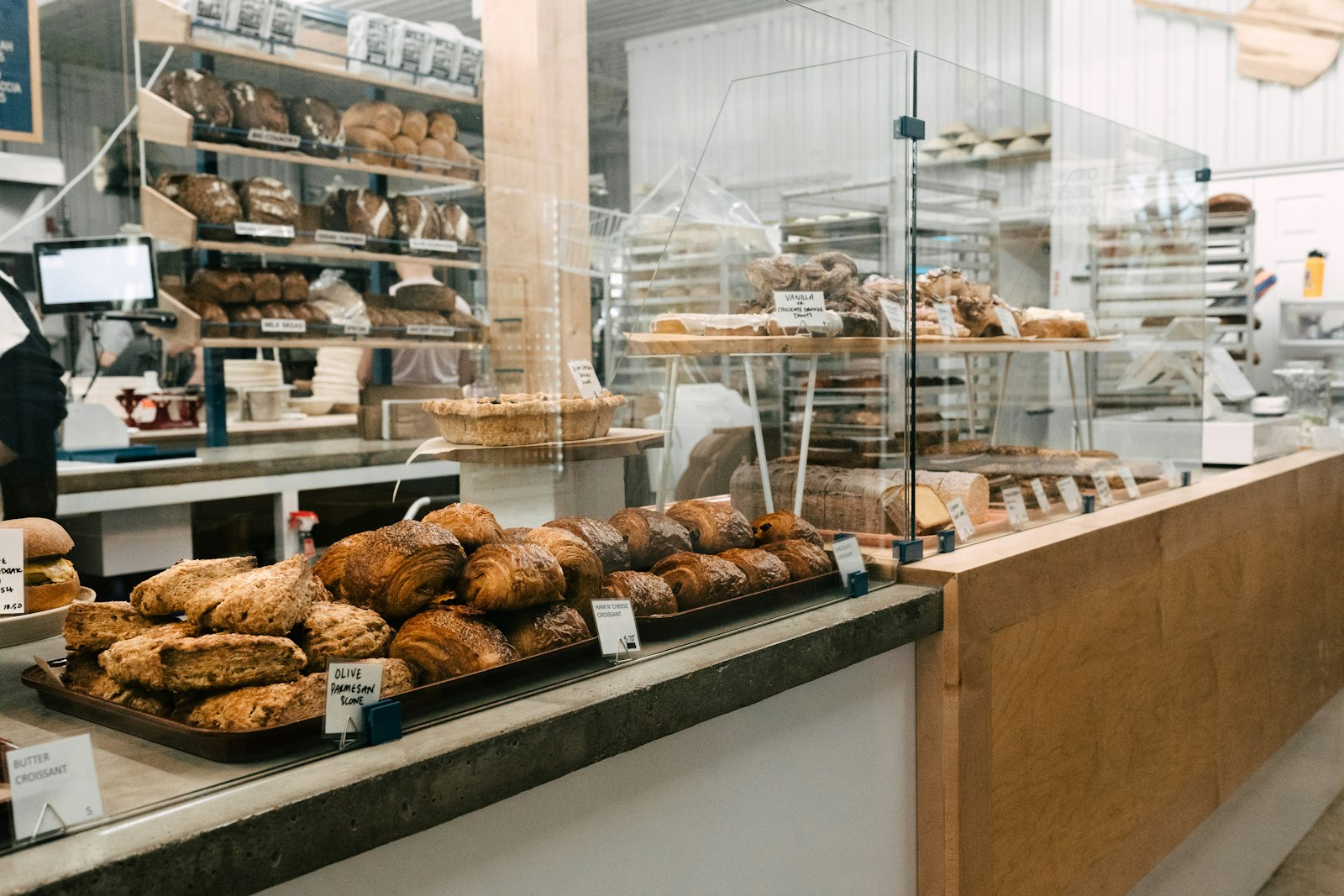
    Close-up photographs still have a job. Show a popular dish, a treatment space, the products you actually stock or the counter where visitors order. A hotel might show the bathroom or a balcony if those details matter when choosing a room.

    Do not fill the gallery with the same plate from several angles while leaving the entrance unseen. Think in groups: outside, main space, key product or service, and a detail that answers a common question. Keep menus and prices on their proper pages as well; a photo of old printed information may quickly go out of date.

    When people are in the picture, make sure you have the permissions you need. Ask before photographing guests or staff for public use. Put private paperwork, payment screens and personal belongings away before the camera comes out.

    A close-up of an attractive plate can show the food, but it cannot tell a customer whether the restaurant has outdoor seating. A wide shot answers that different question. Label images accurately on your own site so nobody mistakes a seasonal terrace or special room for the standard offer.

    Decide what needs replacing

    Restaurant dining room with set tables and plants
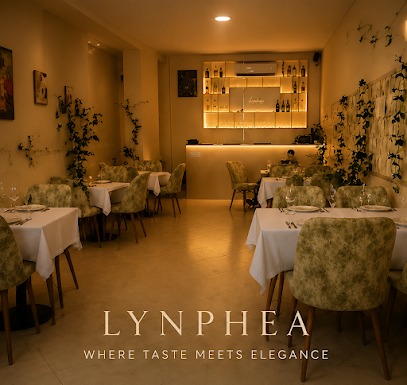
    Lynphea Restaurant & Brunch, Vlorë. Vista 360 project.

    Walk through your gallery and mark pictures that no longer match the premises. A new sign, changed layout or different outdoor seating can make an older image confusing. Seasonal businesses should be especially careful about pictures that suggest a terrace or facility is open all year.

    You do not need a full reshoot every time you move a chair. Replace images when a visitor could arrive with the wrong expectation. Make sure the current entrance and main offer are easy to find among the gallery.

    Put the set to work

    Choose a small group of clear images for the profile and match them with the right pages on your website. Use the entrance view near directions, room pictures near booking details and product images near the offer. Make it easy for someone to move from curiosity to a sensible next step.

    Check the result on a phone. Can you recognise the business quickly? Do the pictures tell the same story as the words and opening hours? If not, change the order or replace the missing view. More images alone will not solve a confusing first impression.

    After you upload images, look at the profile again from a visitor’s phone. Check that a current exterior can be found without digging, that old images have not become the only visible view and that your website shows the same premises. Set aside any frame that could be mistaken for another business.

    Vista 360 can photograph the real entrance and main space, then add a 360° tour when a single still cannot show the layout. For a beach bar with a path from the road, exterior views explain where to arrive and the tour helps visitors understand the seating and beach access. Suitable 360° imagery can appear on Google Maps or Street View; the services page sets out the options. Examples of finished work are in our portfolio.

    If you would like to plan a set of honest images and a useful 360° view of your premises, contact Vista 360 to discuss what customers need to see.

  • When Customers Cannot Find You on Google Maps

    When Customers Cannot Find You on Google Maps

    A business not showing on Google Maps is only one of the problems behind the words “I couldn’t find you on the map”. The business may not appear under its name. The pin may be in the wrong place. Or the map may lead to the correct building but not to the door customers need.

    Before changing everything at once, ask what happened. A caller who cannot see the profile needs a different fix from someone standing at the wrong gate. Work through the journey in order and keep a note of the point where it breaks.

    First check: can people see the profile?

    Search for the business name and town as a customer would. Try on a phone you do not normally use to manage the profile. Can you see the right name, address, category and contact details? If another business with a similar name appears, check whether the sign and online name match.

    Open the profile you manage and check its status. If it needs verification or has a notice about a problem, deal with that first. Do not create a second listing merely because you cannot find the first one in a particular search.

    Google’s guidelines ask businesses to represent their real-world name and location accurately and generally to avoid duplicate profiles for one business (Google’s business representation guidelines). Keep a record of any change you make so you can see what solved the problem.

    Ask somebody who has not visited before to search for the exact business name and then a simple category and town, such as a café in Vlorë. Compare what appears. Finding the name only after entering the full address is different from not finding the profile at all; record the searches before you make changes.

    Test the map pin and directions

    Aerial view of a hotel beside a winding hill road
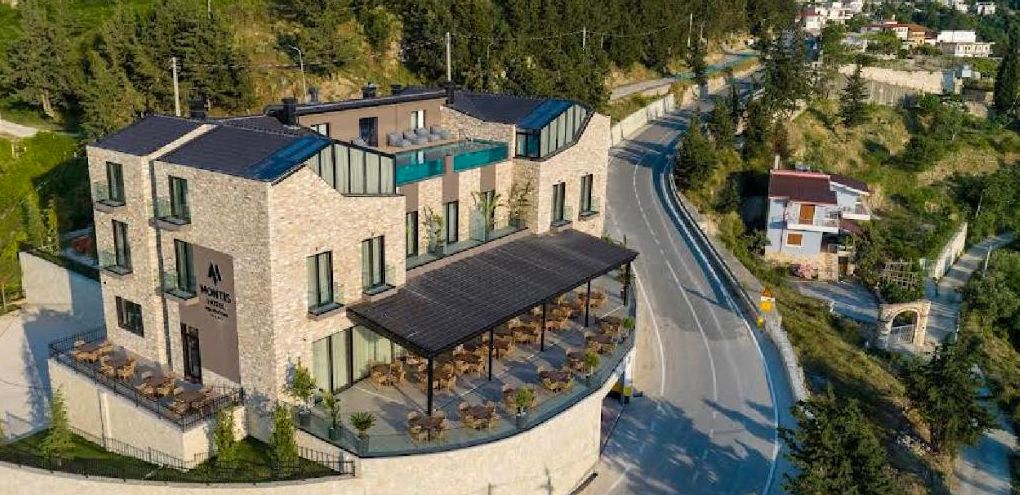
    Montis Agroturizëm Hotel, Kaninë. Vista 360 project.

    If the profile appears, request directions from several nearby starting points. Does the route lead to the real entrance or stop on the wrong side of a wall? Check the official address and then the pin. If the address has no street number or cannot be found, Google explains how to adjust the pin (Google Business Profile address guidance).

    Do not move the pin to a more popular street for visibility. It should help customers reach the actual business. If a road is missing or driving directions are wrong, report the route problem through the map rather than trying to disguise it with a false address.

    Ask someone new to the venue to follow the directions. Notice whether they can see the sign at the point where the map says they have arrived. A map can finish in the right area and still leave the last short walk unexplained.

    Show the last part of the journey

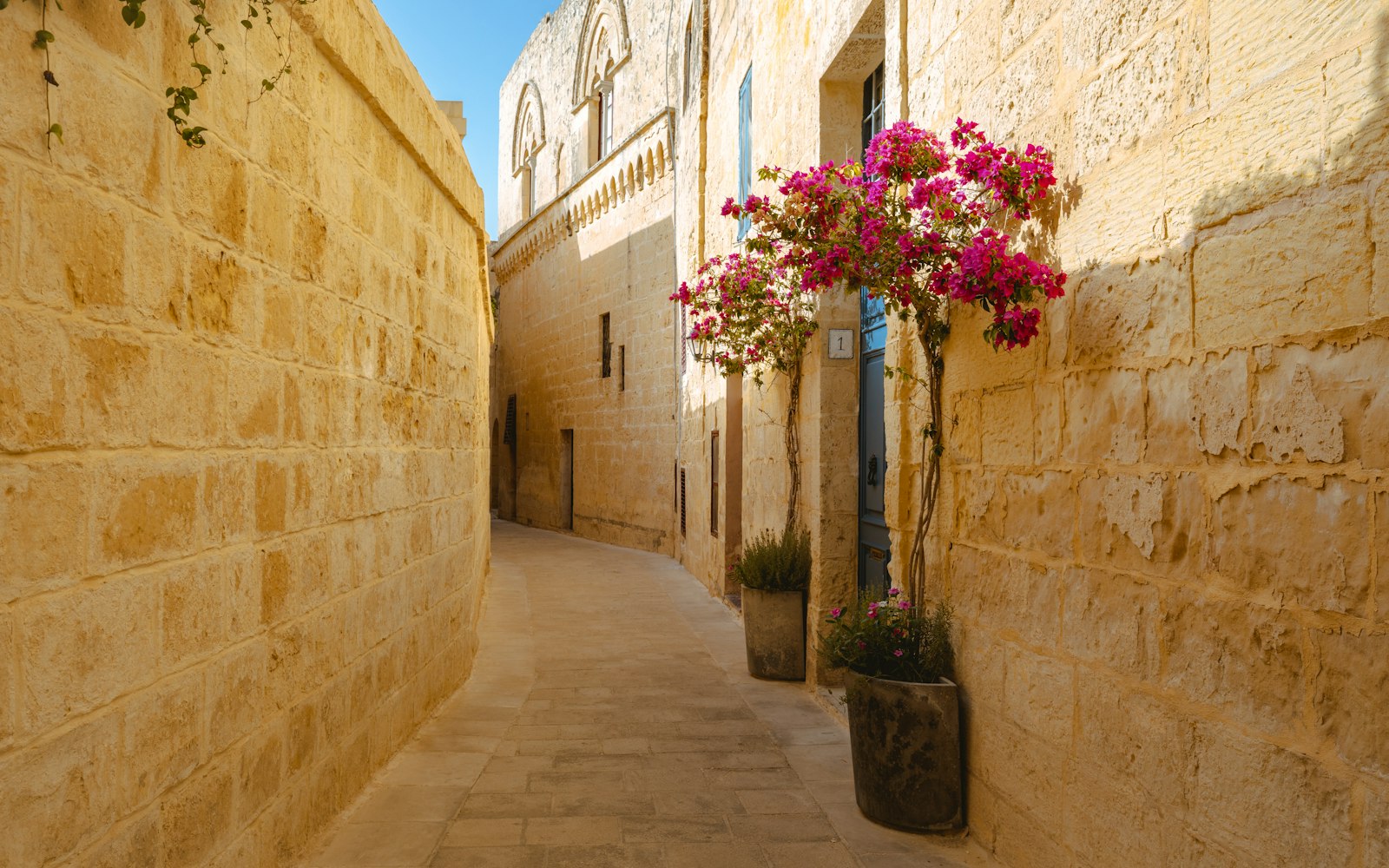
    Narrow stone alley with pink bougainvillea
    Photo: Danny Rienecker on Unsplash
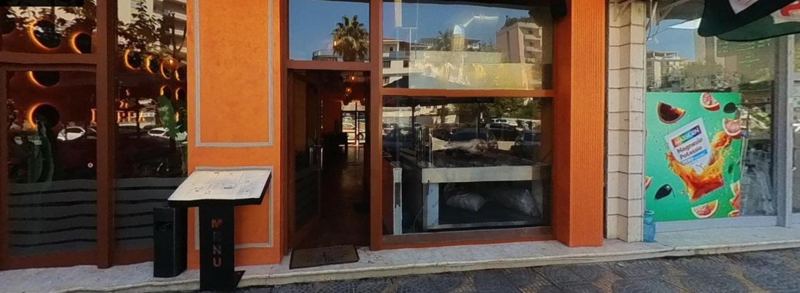
    Restaurant entrance with a glass door and orange walls
    MURRA Traditional Albanian Restaurant, Vlorë. Vista 360 project.

    Take an exterior photograph from the direction a visitor approaches. Include the correct sign, turn or gate. If the business is behind another building, say that in a short arrival note and show the path rather than only the final doorway.

    This does not replace an accurate pin or clear written directions. Think of it as an extra way to show the journey, particularly for a beach bar, hotel or restaurant reached along an unmarked path.

    When you test directions, use the same approach a guest is likely to use, not the shortcut you take every day. Start at a nearby main road and follow the route on foot where appropriate. If it ends across the street or behind a wall, take a note of the last usable turning point.

    Make every message agree

    Compare the profile with your website, booking confirmations, social pages and any printed material. Are they all using the same address and entrance? An old photograph or outdated description can send a customer towards a door that is no longer used.

    If staff often answer calls from lost customers, ask them to record the exact question. “Which road do I turn into?” and “Which of these two gates is yours?” point to different missing details. Update the information customers actually use, not merely the text you prefer.

    Recheck after you change something

    Changes may not appear in every place at once, and old material can remain elsewhere. Check the profile and directions again after an update, then test the same route on a phone. If the problem continues, document it clearly before trying another fix.

    Keep the goal simple: a person should be able to find the right business, follow the route and recognise the entrance. Better visibility means little if a willing customer still cannot get through the door.

    A clear arrival message can say, ‘From the seafront road, take the small lane beside the pharmacy; the entrance is on your left.’ That is more helpful than ‘We are easy to find.’ Use real landmarks only after checking they are still there and avoid putting private access details online.

    Vista 360 can review the Google Business Profile presentation and show a venue’s approach with useful exterior imagery. Where the map reaches the nearest road but not the doorway, a Street View walking route can connect that road to the entrance. For example, a hotel behind a courtyard needs its actual approach shown, not another generic lobby photograph; see the services page. Examples of finished work are in our portfolio.

    If your customers can find the street but not your entrance, contact Vista 360 to discuss images and access mapping.

  • 360° Tour or Ordinary Photos?

    360° Tour or Ordinary Photos?

    Should you choose a 360 tour or ordinary photos? The question comes up whenever a business wants to show its space more clearly. A business owner often hears that every new format is essential. You may be told to take more photos, make more video and add a virtual tour. The better question is simpler: what does your customer need to see before they choose to visit?

    Ordinary photographs and a 360° tour are not rivals. One can highlight a detail; the other can show how a space fits together. Understanding the difference helps you spend your effort on the images that answer real questions.

    Start with what a still photo does best

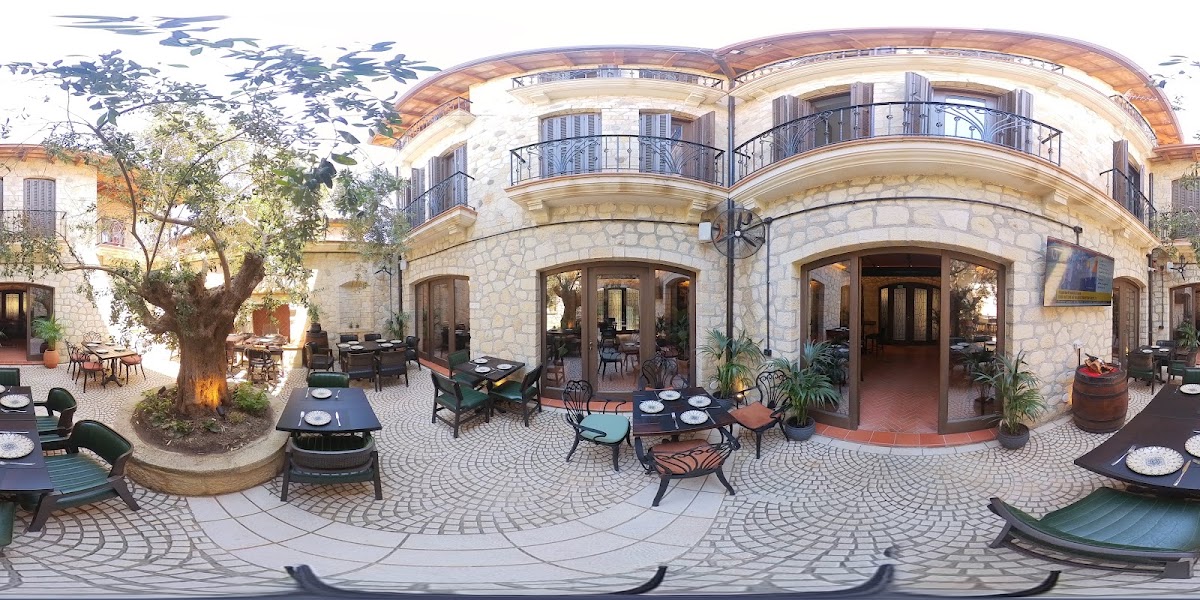
    Stone courtyard and entrance of a restaurant with outdoor tables
    Antica Birreria, Vlorë. Vista 360 project.

    A standard photograph can draw the eye to one thing: a dish, a shop display, a room, a member of the team or the entrance sign. It is easy to place beside a menu, booking option or product description. You can choose the frame that best explains the point.

    Still photos are also useful when you change one part of the offer. A café can update its food pictures without making a new tour of the whole building. A shop can photograph a new range while its layout stays the same.

    Be honest with the frame. A close-up of a beautiful table does not show the full dining room. If visitors keep asking about the room layout, add a wider view or another format rather than relying on the same carefully cropped picture.

    Imagine a visitor choosing between two hotel rooms. A good still image shows the bed and window clearly, while a tour helps them see how the doorway, storage and bathroom relate to that room. Neither view has to win. Start with the unanswered question and choose the format that can answer it honestly.

    Use a tour when layout matters

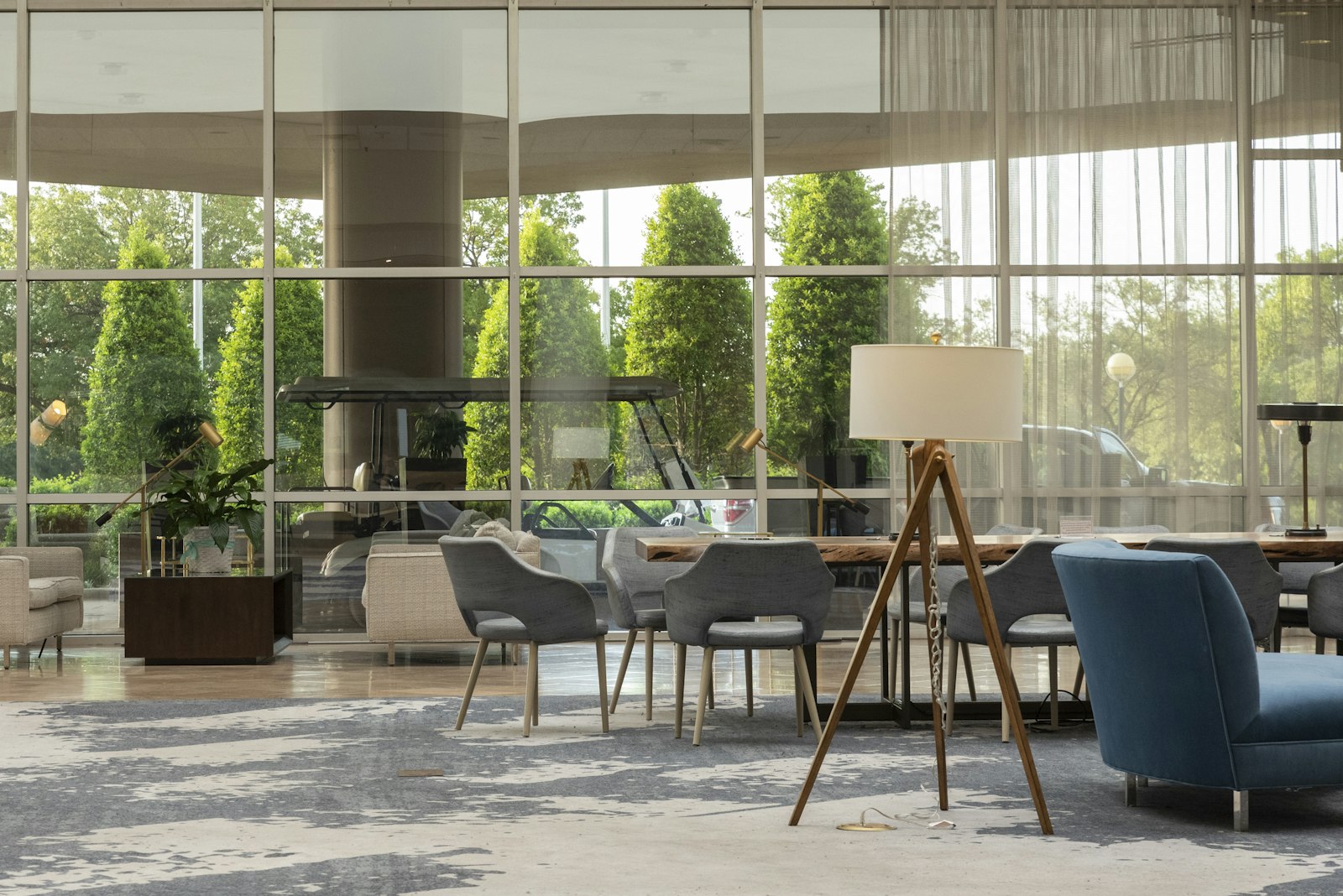
    Hotel lounge with chairs, tables and large windows
    Photo: Trac Vu on Unsplash

    A 360° tour lets someone turn and look around a space. This can help with questions that one frame cannot answer: how the tables relate to the bar, where the reception is, what a shop feels like from the doorway or how a hotel room is arranged.

    Think about the customer’s decision. Would understanding the room make them more comfortable enquiring or visiting? If so, a tour may be useful. If the business is mainly an online product catalogue with no visitor-facing space, good still images may be more important.

    Give each format a place

    Put an exterior photo beside directions so people know what to look for. Put a clear food or product photo beside the item it describes. Place the tour where a visitor is deciding whether the room, venue or shop is right for them.

    For a hotel, that might mean room photos on each room page and a tour near the general property overview. For a restaurant, it could mean menu photographs on the menu page and the tour beside booking information. The same tour can also be shared from a printed QR code at a suitable point. For a guest booking a summer stay in Sarandë or Vlorë from abroad, the tour may be the only chance to look around before they arrive.

    Google presents business photos and virtual tours as ways to help people understand a place before visiting (Google Street View for businesses). That is a useful test for every placement: is the image making a decision easier, or merely taking up space?

    Write down where a customer will see each format before you commission it. A carefully framed room photo belongs beside the room description; a tour of the shared areas belongs near the property overview. If the same image is pasted everywhere without a purpose, it stops helping anyone make a choice.

    Plan what to capture together

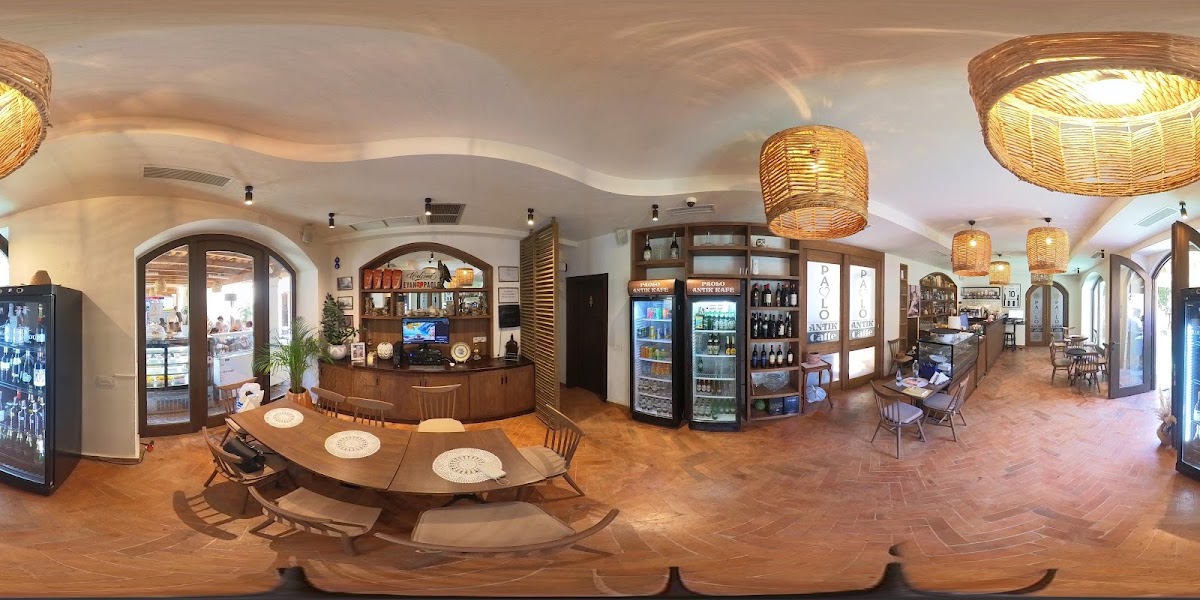
    360° panorama of a bar interior
    Antik Bar, Vlorë. Vista 360 project.

    Walk around the premises with a short list of customer questions. Which entrance is correct? What is the main space like? Which details deserve a close-up? Then decide where a tour provides context and where a still photograph provides focus.

    You do not need every room in one continuous tour. Keep private areas private and avoid spaces that would create the wrong expectation. If a room type is not available for all bookings, label it clearly on the relevant page.

    Choose a result you can keep accurate

    The best image set is one you can update when the business changes. A new entrance, major refurbishment or changed seating plan may call for fresh imagery. A new menu item may only need a new still photograph. Plan for this before publishing.

    Check your website and profile on a phone. The photos should be quick to understand; the tour should be easy to open and useful to explore. Neither format should promise an experience your business cannot provide.

    Ask a colleague who has not planned the shoot to look at the finished page on a phone. What can they work out without an explanation? If they cannot tell where to enter, where to sit or what is included, add a useful view rather than a more dramatic one.

    Vista 360 can capture a 360° tour and publish it on Google Maps or Street View, then provide an embed for your website. For a restaurant with a tucked-away terrace, ordinary food photos explain the menu while a tour shows the route from the dining room to the outdoor seating. The services page explains the practical delivery options. Examples of finished work are in our portfolio.

    If you are unsure which format will answer your customers’ questions, contact Vista 360 to plan a sensible photo and tour mix.

  • How Online Reviews Shape a Customer’s First Impression

    How Online Reviews Shape a Customer’s First Impression

    Someone searching for a café in Vlorë, a hotel near the coast or a shop in Durrës may know nothing about your business. They see a name, a few photos and what other people have said. In that short moment, online reviews can either answer their questions or give them another reason to keep looking.

    This does not mean that every customer makes a decision from a star rating. A useful review tells a story about a real visit, and a thoughtful reply shows how the business listens. If you own a local business, the first step is to look at your reviews as a stranger would.

    Look past the number of stars

    Open your profile on a phone and read the first few comments without trying to defend the business. What would you learn about the welcome, the product and the day-to-day experience? A hotel guest might mention quiet rooms. A café visitor might talk about service at a busy time. Details like these help another person picture a visit.

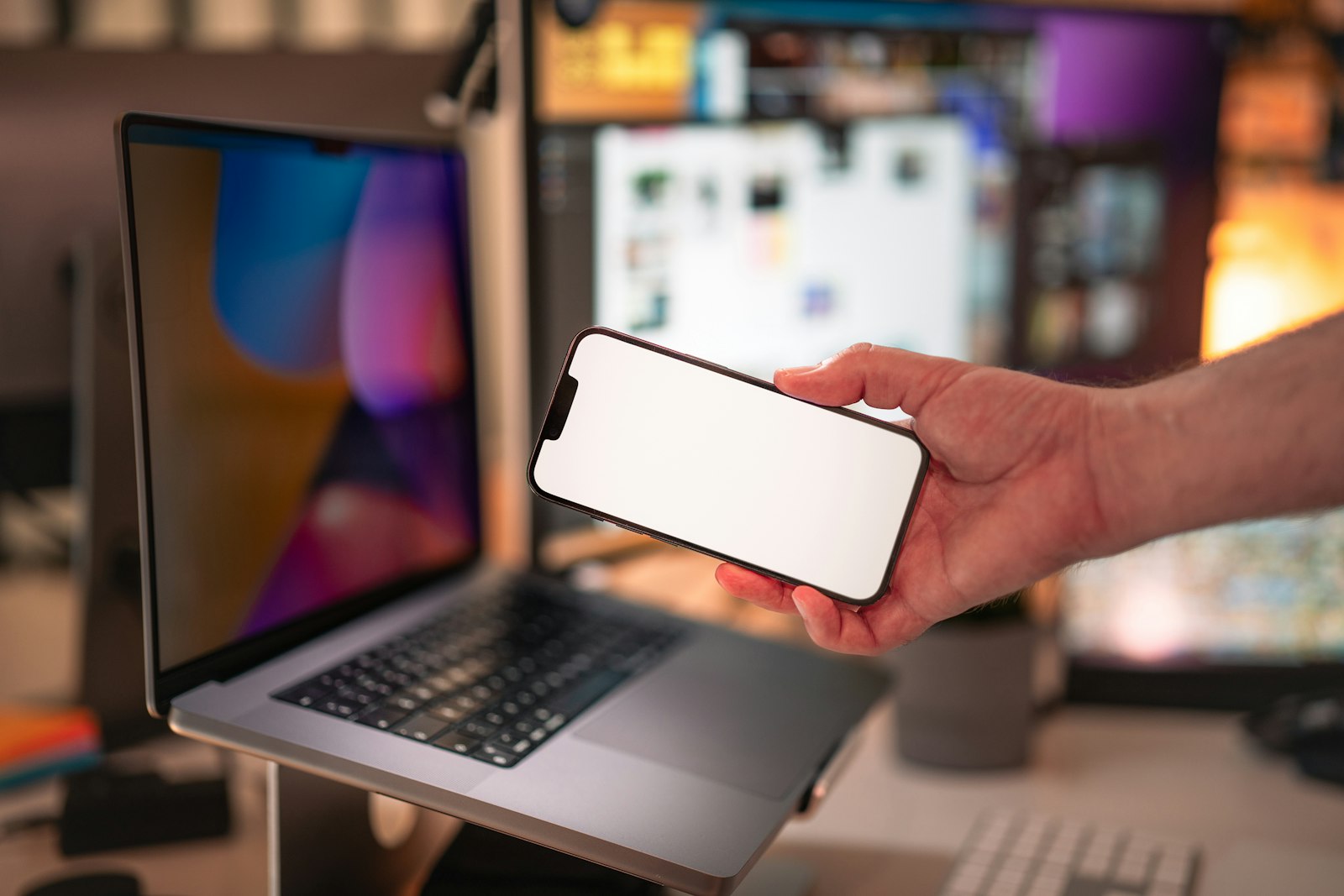
    Hand holding a smartphone in front of a laptop
    Photo: Jakub Żerdzicki on Unsplash

    The rating gives a quick starting point, but the words explain it. A high rating with little detail may answer fewer questions than a balanced page with clear, recent experiences. Google itself says honest, balanced reviews can help potential customers decide, and that a mix of positive and negative feedback can feel more trustworthy (Google Business Profile review guidance).

    Make a note of repeated themes. If several people praise the easy parking, show the entrance clearly in your photos. If several people struggle to find you, review your address and arrival instructions. Use feedback to improve the real experience as well as the online page.

    Check whether the reviews still describe today’s business

    A visitor may wonder if an older comment still applies. Perhaps you changed the menu, refreshed the rooms or moved your entrance. You cannot rewrite a customer’s experience, but you can keep your current business information clear and invite new, genuine feedback from people who visit now.

    Do not ask only the customers you think will leave five stars. A simple, neutral request after service is enough: “If you have a moment, would you share an honest review of your visit?” Give them a direct review link if you have one. Make it easy, not awkward.

    When an older complaint describes a problem you have fixed, a calm public reply can explain what changed. Keep it specific. “We have added a sign at the side entrance” tells a future visitor more than “We always aim for excellence.” Never promise that an update will change the original review.

    Let your replies sound like a real person

    Customers can see how you speak when things go well and when they do not. A short reply to a positive review can mention the part of the visit the person enjoyed. A reply to a complaint can acknowledge the concern and offer a direct way to discuss it.

    Avoid copying the same message under every review. “Thank you for visiting” is fine, but repeated identical paragraphs look less personal. You also do not need to turn every reply into an advert. Your response is part of a conversation, not a sales leaflet.

    Before posting, read the reply aloud. Would you say those words at the counter? If not, make them simpler. Ask a colleague to check a reply when the review has upset you; a second pair of eyes can stop a rushed answer from becoming the story.

    Make the rest of your profile match the feedback

    A review is only one part of the first impression. If visitors praise a terrace but the profile shows only an old picture of the front door, the page is not helping them see it. Add useful, up-to-date images of your real space, check the opening hours and make sure the contact route works.

    Hotel terrace with tables and sea-facing windows
    SASSO HOTEL, Vlorë. Vista 360 project.

    If a customer comments that your place is hard to find, an image of the entrance may help more than a polished indoor photo. If guests are unsure what the rooms look like, show the actual room types. Let the questions in your reviews guide the information you share next.

    Set a small, repeatable review routine

    Choose a time each week to read new comments, reply where you have something useful to say and note any issue that needs action offline. Keep a simple record of recurring questions. This can be a notebook or a shared document; it does not need special software.

    For each review, ask whether it calls for thanks, a factual answer, an apology or a change to the business. Sometimes it calls for no public reply at all. The important thing is that the feedback reaches the person who can do something with it.

    Vista 360 can help business owners present the place more clearly with 360° images, a virtual tour and support with their Google Business Profile and review replies. A tour can be published on Google Maps or Street View and embedded on your website where suitable; the aim is to help people understand what they will find, not to erase mixed feedback. You can see the wider range of options on the Vista 360 services page, and examples of finished tours are in our portfolio. On the Albanian coast, where summer guests often write reviews in English, Italian, German or Polish, a reply the reviewer can read matters as much as the photos.

    Make your first impression easier to trust by matching honest reviews with clear information, current photos and human replies; contact Vista 360 if you would like help presenting your business online.

  • How to Prepare Your Business for a 360° Photo Shoot: A Simple Checklist

    How to Prepare Your Business for a 360° Photo Shoot: A Simple Checklist

    Customers often see your business online before they visit it. A 360° tour can help them understand your space, but the camera will show much more than a standard photo. Preparing well means showing your business clearly and honestly, not making it look like a different place.

    Google points out that virtual tours let people look inside a business before they visit, and that business photos should represent the place as it really is. Here is a simple plan for the day of your shoot.

    Decide what customers need to see

    Start with the questions a new customer might ask. Can they recognise your entrance? Is there room to browse? What does the seating area or treatment room actually look like? Your answers will tell the photographer which spaces matter most.

    For a café, that might be the entrance, counter and seating. For a hotel, it might be the lobby, common areas and the room types you offer. For a shop, it might be the shopfront, main aisle and product displays. Aim for a mix of exterior and interior views: the outside helps people recognise you, the inside helps them decide.

    Make a short list of must-see areas and a separate list of areas that must stay private. Share both before the shoot. If an important feature is not part of the tour, ask whether a normal photograph would show it better.

    Tidy the whole space, not just one corner

    A 360° camera looks around the entire room at once. Check what can be seen behind the counter, under tables, on shelves and near the doors. Remove temporary clutter, spare boxes, loose cables and private paperwork. Wipe mirrors and glass, straighten chairs and make sure signs are easy to read.

    Full 360° panorama of a restaurant interior with tiled floor and bar
    A 360° camera captures the whole room in one frame. Opus Restaurant, Radhimë. Vista 360 project.

    Keep the normal character of the place. Do not remove useful furniture, block a less attractive view or show a layout customers will not find when they arrive. The goal is a clean, well-lit and accurate picture, not an edited one.

    Check the light and choose a sensible time

    Walk through each area at the time you expect the photographer to arrive. Open blinds where daylight helps, switch on working lights and replace failed bulbs. Watch for dark corners, strong reflections and bright windows that may need extra care.

    Bright self-service restaurant interior with a clear walkway and counter
    Good light and a clear floor. Today’s Self Service, Vlorë. Vista 360 project.

    Choose a quieter period if you can. That gives the photographer space to work and makes it easier to keep customers’ faces and personal details out of the images. If you want to show the atmosphere of a busy service, discuss that in advance rather than surprising staff or guests on the day.

    Prepare your team and protect private areas

    Tell your team when the shoot will happen and which areas will be photographed. Decide who can open doors, move small items and approve the final route. Put away booking sheets, payment information, staff records, guest belongings and anything else that should not appear online.

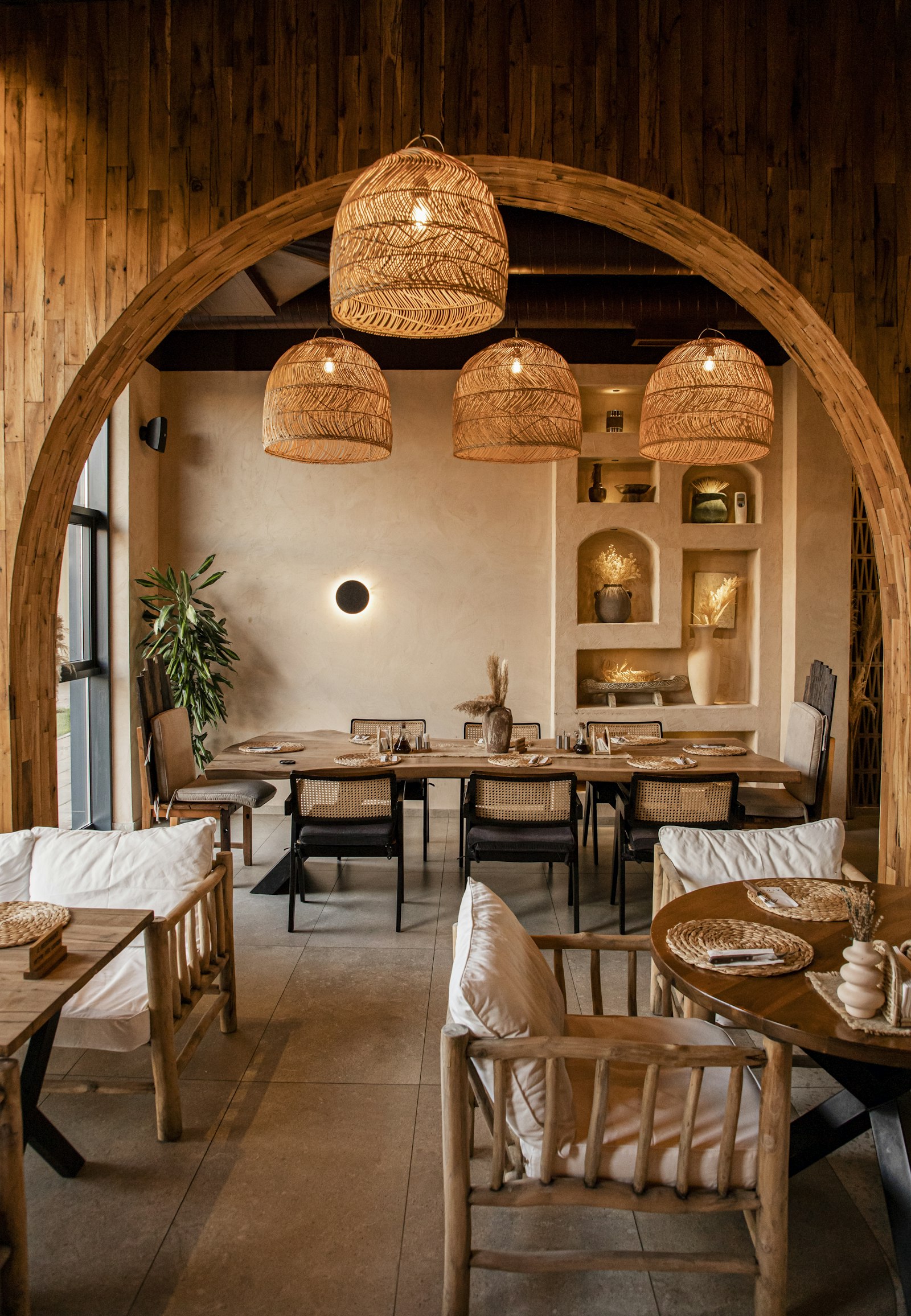
    Dining area with natural wood tables and woven pendant lights
    Photo: Aurela Redenica on Unsplash

    If people may be in shot, agree with the photographer how they will be handled and obtain any permissions you need before publication. Keep the route away from staff-only rooms and any space you are not authorised to show.

    Make the arrival experience part of the story

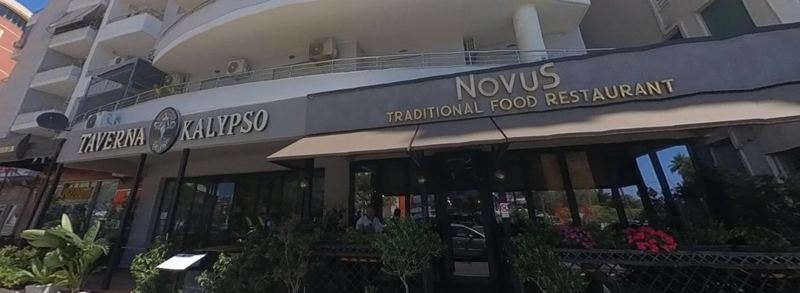
    Take a quick look from the street. Is the sign visible? Is the correct entrance obvious? Can a first-time visitor work out where to go? An exterior view helps people identify the premises, and Street View imagery can also show practical details such as parking or an accessible entrance.

    Restaurant exterior with a clearly visible sign above the entrance
    A visible sign and an obvious entrance help first-time visitors. Novus Traditional Food Restaurant, Vlorë. Vista 360 project.

    If your business sits away from the main road or is hard to find on Google Maps, ask about a walking route that connects the nearest street to your entrance. Visitors can then follow it step by step in Street View and arrive at the right door.

    Be accurate about access. If a ramp, parking space or entrance is not always available, do not imply that it is. Your online first impression should match the customer’s real visit.

    What happens after the shoot

    The shoot itself usually takes one to two hours. After that, the panoramas are processed, connected into a walkable tour and published to your Google Business Profile. Publication takes a few days, depending on the size of the property.

    Once the tour is live on Google Maps, you can also embed it on your website or link to it from a QR code at the entrance, on menus or in booking confirmations, so guests can look around before they arrive.

    Your pre-shoot checklist

    • Choose the spaces that answer customers’ main questions.
    • Confirm the route and identify private or restricted areas.
    • Clear clutter, personal information and temporary signs.
    • Check lighting, windows, mirrors and working bulbs.
    • Brief staff and arrange a quieter time where possible.
    • Check the shopfront, signage and customer entrance.
    • Agree where the finished images may be used and who will approve them.

    A good 360° shoot does not need a perfect-looking business. It needs a clear plan and a space that looks like the one your customers will actually visit. Want to see the result? Browse our portfolio of tours across Albania, or get in touch and we will help you plan the route.

  • Why a Virtual Tour Helps Guests Choose You Before They Arrive

    Why a Virtual Tour Helps Guests Choose You Before They Arrive

    Before a traveller books a hotel room, reserves a table, or decides where to spend their afternoon, they almost always do one thing first: they look it up online. A handful of photos and a star rating used to be enough — today, more and more people expect to actually see the place before they show up. That’s exactly what a 360° virtual tour gives them.

    Seeing is deciding

    A photo shows a moment. A virtual tour shows the whole picture — literally. Visitors can look around a dining room, check how bright a hotel room is, see how a terrace overlooks the sea, or judge how busy a bar feels on a Friday night, all without leaving their sofa. That kind of confidence removes hesitation, and hesitation is usually what sends a potential customer to a competitor instead.

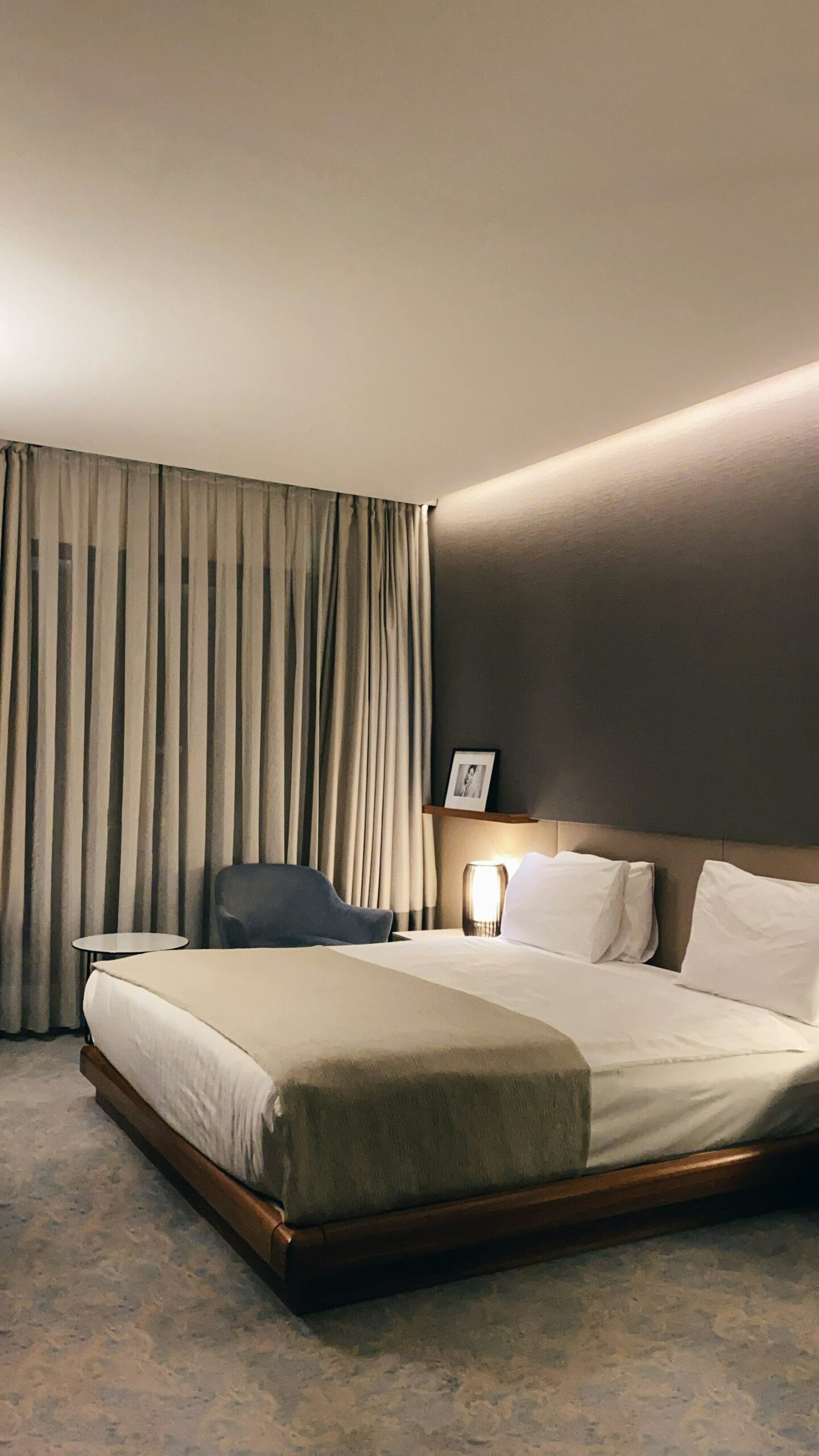
    Bright, well-lit hotel room ready to welcome guests

    Why it matters most for tourism-driven businesses

    For hotels, restaurants, beach bars and apartments in a destination like Vlorë and the Albanian Riviera, most guests are booking from another city or another country entirely. They can’t drive by and take a look. Their entire first impression comes from a screen — so the quality of what they find online directly affects whether they choose you or scroll past you.

    A 360° tour published directly on Google Maps also means your business shows up with an interactive photosphere right where people are already searching — no app to download, no extra click, just an honest look inside before they commit.

    Tidy, well-presented restaurant table setting

    Trust, built before the first hello

    People book with businesses they trust, and trust is built on transparency. A virtual tour says, in effect: “this is exactly what you’ll find, nothing hidden.” That honesty tends to attract exactly the kind of guests who arrive happy, leave good reviews, and come back — because there are no surprises waiting for them at the door.

    360 degree panoramic virtual tour capture

    It only takes one visit

    The best part is how little it takes to get there. A single, quick session with a professional 360° camera captures your entire space, and the result works for you online 24 hours a day — long after the photographer has left. Combined with aerial drone shots and a well-presented Google Business Profile, it’s one of the most cost-effective ways to turn browsers into bookings.

    If your business isn’t visible in 360° yet, you’re asking potential guests to book on trust alone. Give them a reason not to have to.